
We manage our membership through Foireann.ie. Foireann is the GAA Games Management system, it’s a member focussed system, providing the member the functions to manage their own data. .
When selecting the club, go to the Galway list. You may get a number of options for GAA Clubs in Moycullen. Select “Cumann Peile Mhaigh Cuilinn” for the football club, accompanied by the football club crest.
Separate memberships are needed for football, LGFA, hurling and camogie.
Login to Foireann.ie to pay membership or manage your profile
Step By Step Instructions
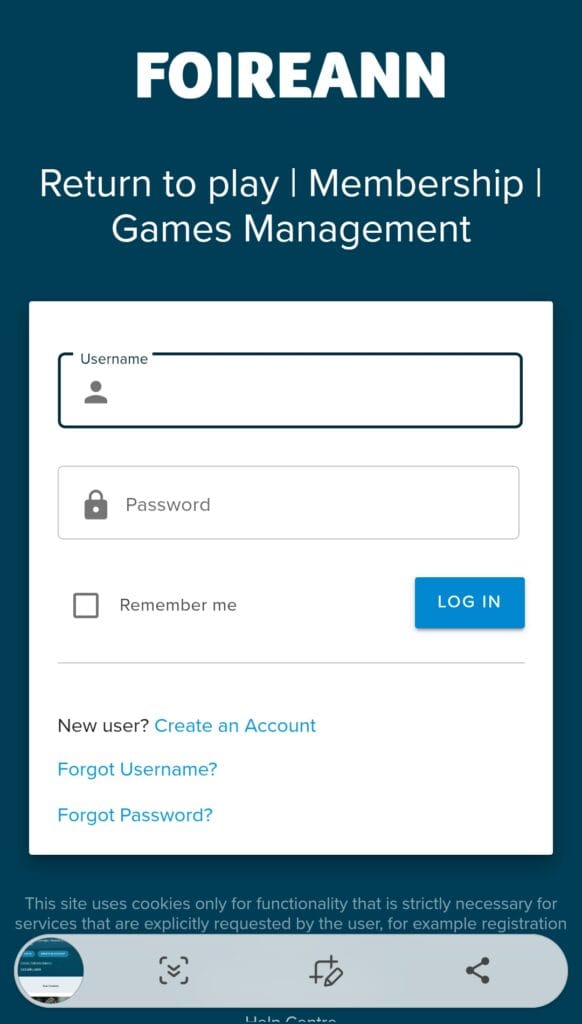
Go to: foireann.ie
If you already have a Foireann account:
- Enter your registered username and password.
(Your username will have been send to you previously when you registered. Use the “Forgot” options if required.) - Click “Log In.
If you’re a new user:
- Click “Register.”
- Fill in the required details (name, email, password, etc.).
- Follow the on-screen instructions to verify your email.
Troubleshooting:
Existing Email:
If you encounter issues logging in or registering, your email might be registered from the previous GAA system. In this case email web@maighcuilinn.ie or contact the Cumann Peile Mhaigh Cuilinn Club Registrar.
Once logged in or registered, locate the dropdown menu (usually in the top left corner, especially on mobile devices)
Select “My Profile.“
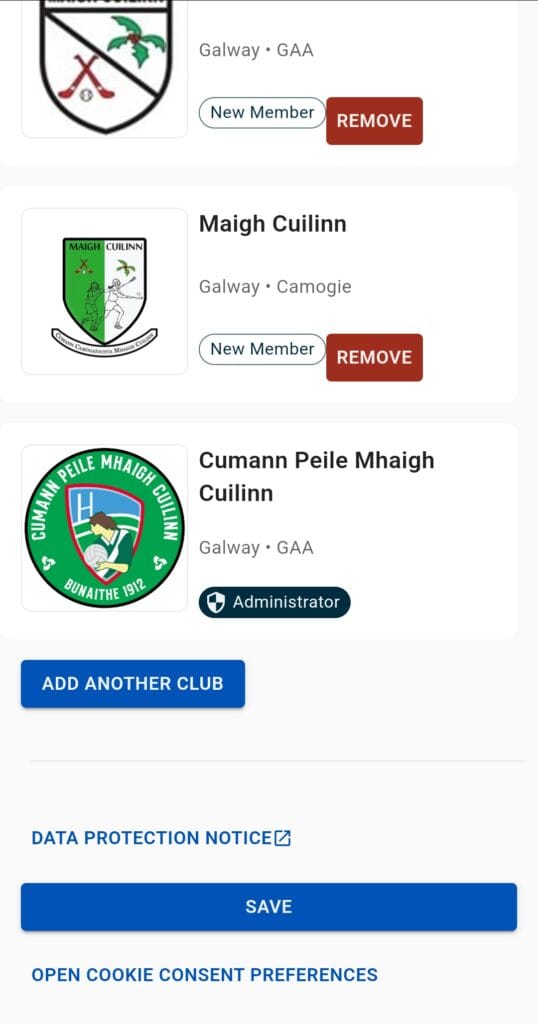
Scroll to the bottom of the page to see what clubs your account is associated with.
Your profile page will display any existing GAA club or organization associations.
Add Cumann Peile Mhaigh Cuilinn to Your Profile
To add Cumann Peile Mhaigh Cuilinn:
- Select add organisation.
Select Association: GAA
Select County Board: Galway
Select Club: Cumann Peile Mhaigh Cuilinn
Important:** Double-check that you select “Cumann Peile Mhaigh Cuilinn” and not a similarly named club or other GAA code in Maigh Cuilinn.
On the dropdown menu, go to “Membership“, click on Cumann Peile Mhaigh Cuilinn, then select the required membership
Individual Membership:
Choose the appropriate options
Adult: Playing or Non-Playing
Youth: Playing or Non-Playing
A player is deemed a Youth Player for the season if they are 17 at the time of registration.
Important: Complete the details for each person, specifying whether they are “Playing” or “Non-Playing.”
Family Membership:
Select the family membership option. This covers up to 2 adults and up to 4 youth members.
Complete the details for each person, specifying whether they are “Playing” or “Non-Playing.
Guardians:
Guardians are not required to be members, but we encourage everyone involved with the club to become a member. Membership is required for participation in any club activity.
Payment
After completing the details, you should be directed to the payment screen. If the payment screen doesn’t appear, check for the “cart” icon in the top right corner of the screen and proceed from there.
Renewals
In subsequent years, your details will have been saved, making renewal quick and easy.

Frequently Asked Questions
Every player, coach and club officer must be a member of our club.
All club officers should be familiar with the rules governing club membership and the rules governing registration of members and players.
Team and player affiliation fees to the GAA, insurance, maintenance and improvement of facilities, playing equipment, team preparation, utility bills.
Generally, no, as it is prohibited by Rule 6.8. A player may not play in any Championship with two clubs in a given year’s Championship, either within a County or in different counties.
Membership lasts until December 31st of the current calendar year.
New memberships for the following year can be started from January 1st.